
QR codes for restaurants and cafés
- No app for the guest
- No ads when scanned
- Change prices, keep the print
Four codes are enough for most restaurants
-
The menu
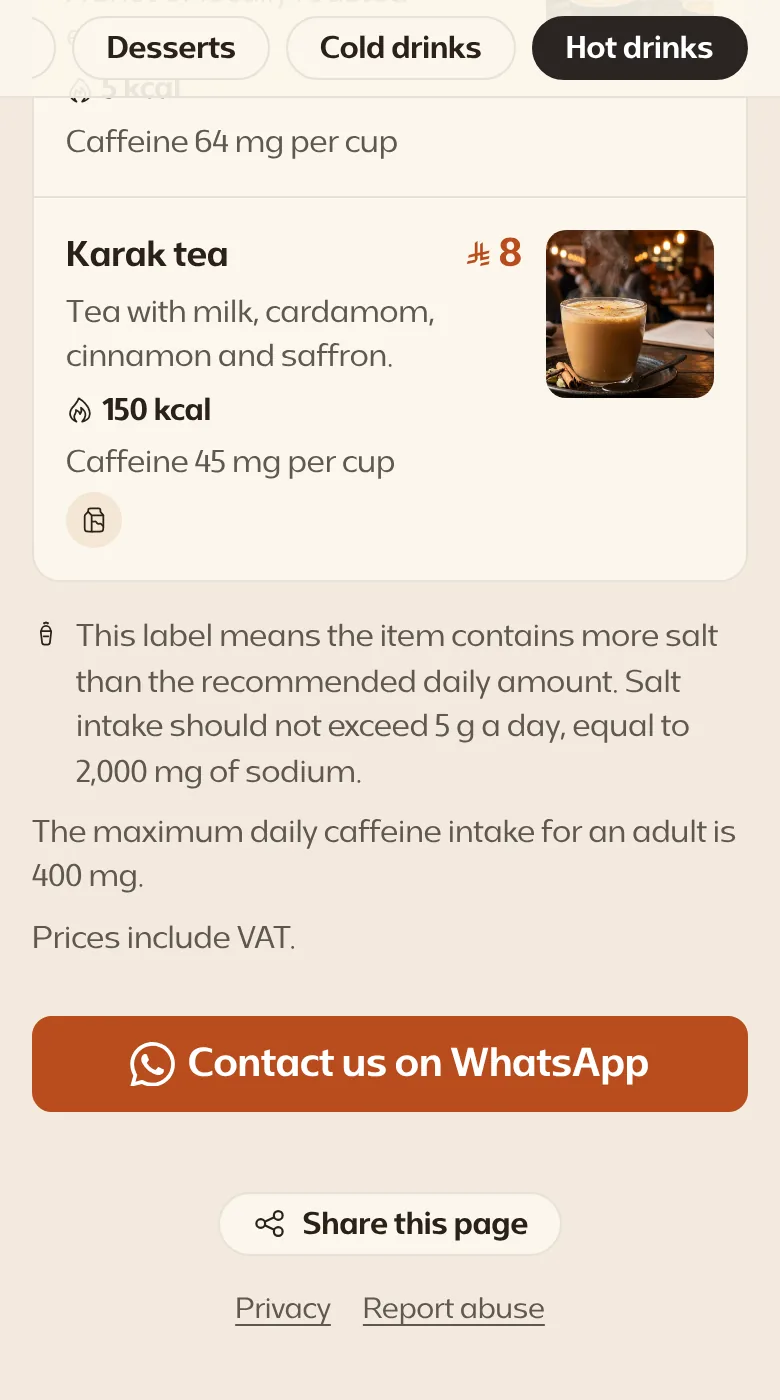
A page made for phones, with your dishes, prices and photos. A dish has run out or a price has changed? You change it in a moment, and the next guest sees it. And you paste a whole menu from Excel at once.
Menu QR code -
Google reviews
A happy guest scans and reaches your restaurant's reviews on Google, without searching for its name. With the review link from your Google profile, the review box opens at once.
Google review QR code -
Wi-Fi for guests
A guest scans and is connected, without asking anyone for the password. Free, without an account.
Wi-Fi QR code -
Orders on WhatsApp
A guest scans and a chat with the restaurant's number opens, with a message ready.
WhatsApp QR code
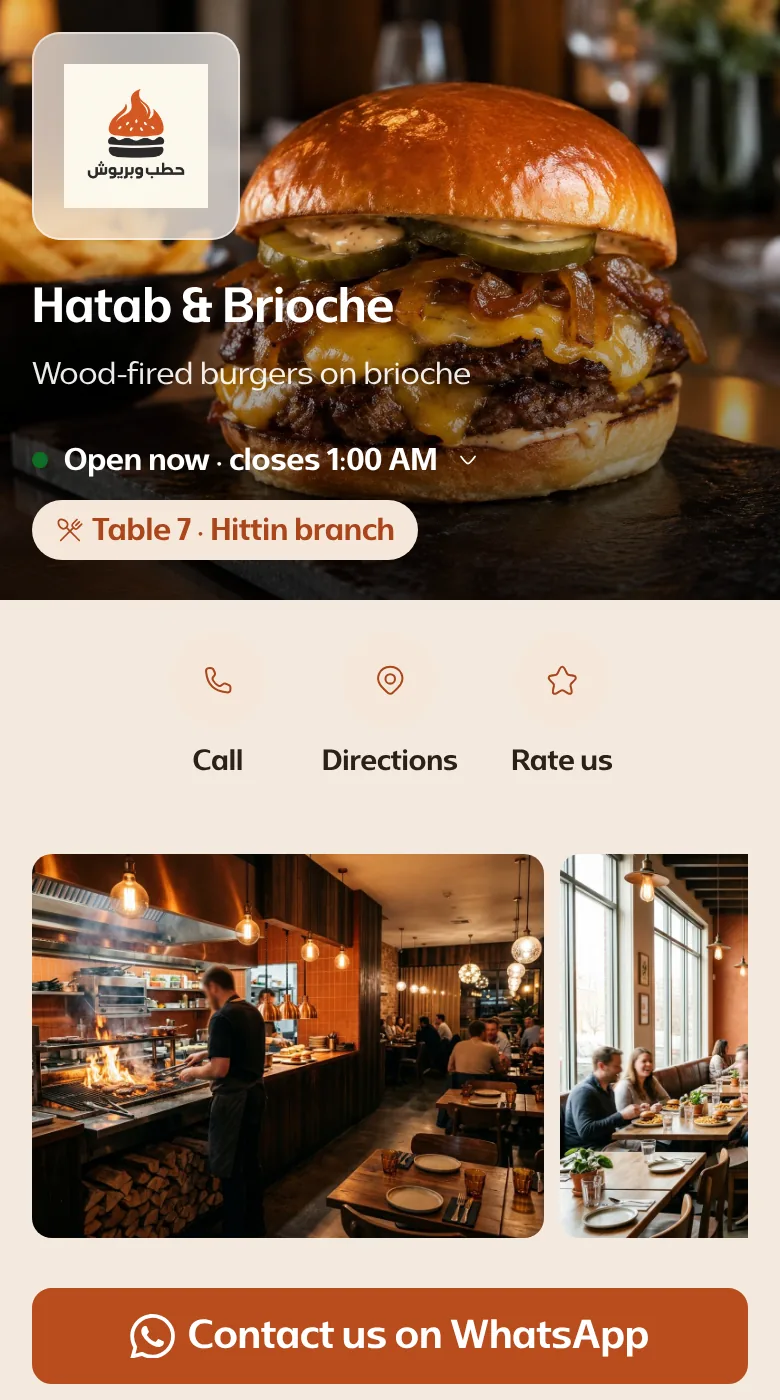
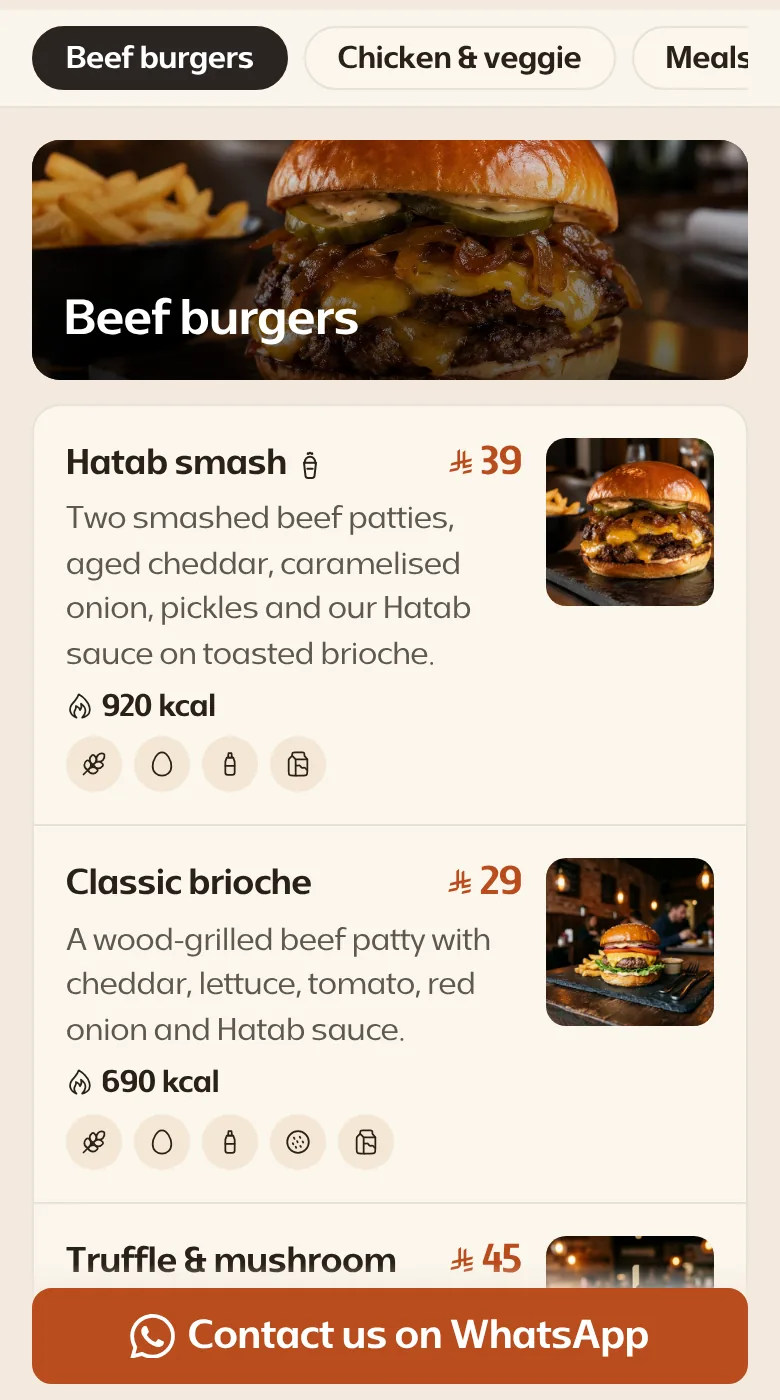
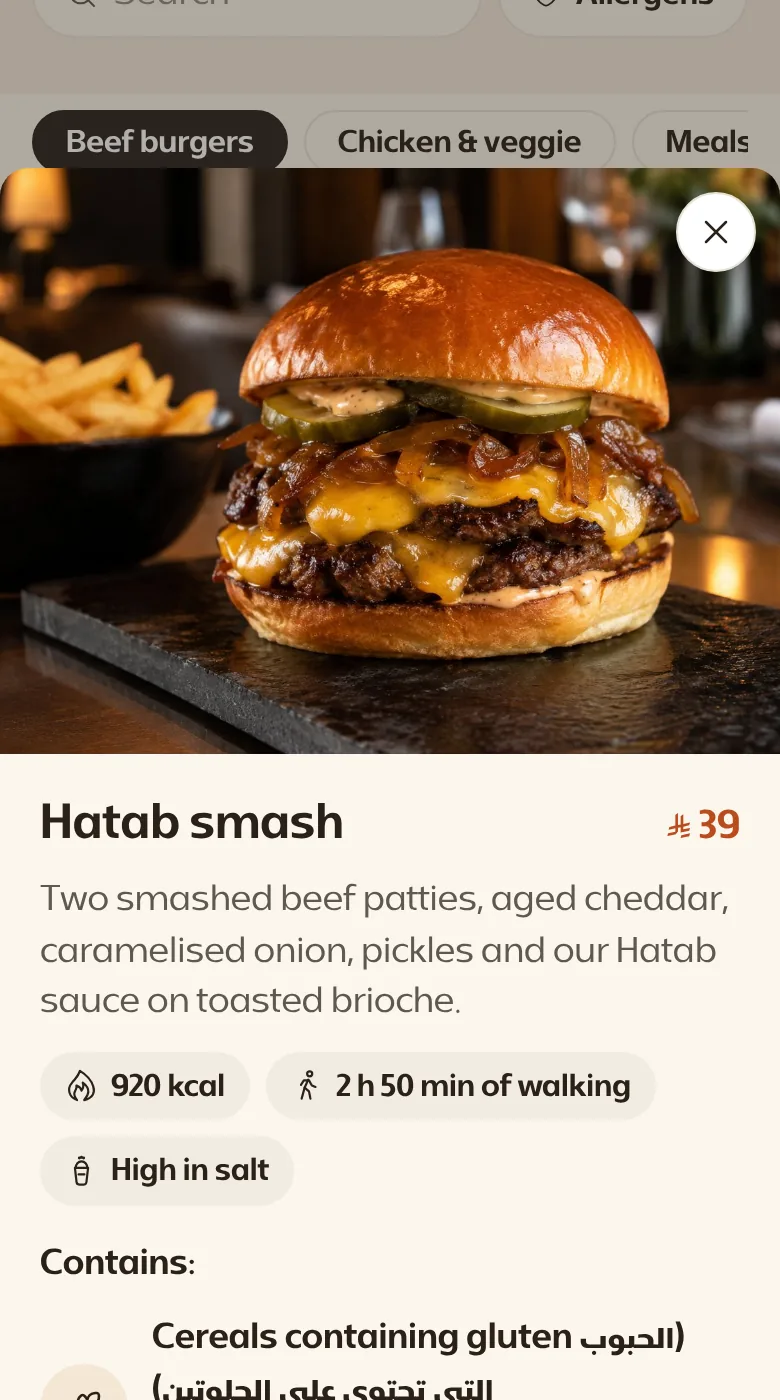
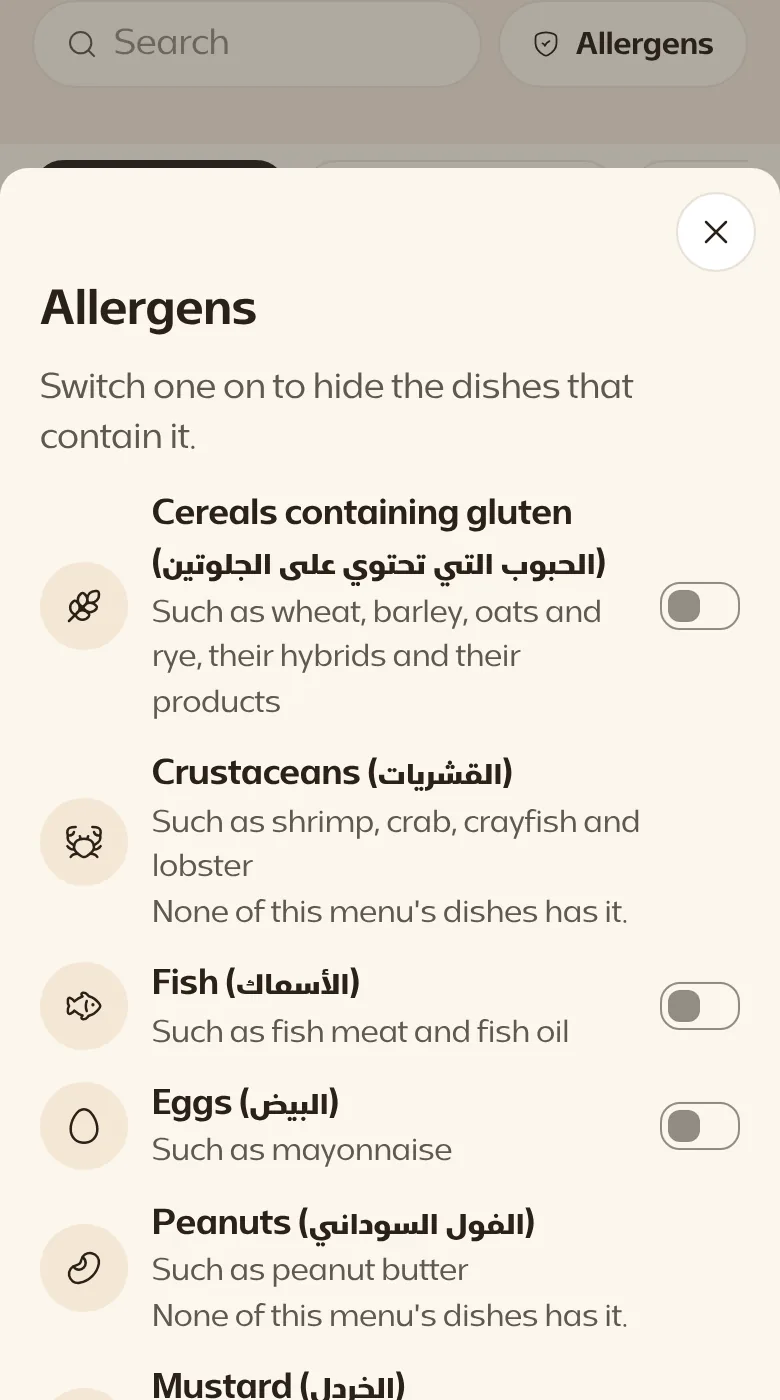
What the guest sees on the menu
-
The table and branch, with buttons to call and get directions.
-
With their photos and prices.
-
Its photo, calories and allergens.
-
The guest hides what does not suit them.
-
To order by a message that names the table.
A menu for every branch, a code for every table
With the Grow plan and those above it.
Your branches
Each branch has its own menu, with its own items and prices.
Your tables
Each table has a code that carries its number. A WhatsApp message reaches you with the branch's name and the table's number if you put them in the ready message.
Your numbers
The branches page shows the scans of every branch and every table, so you see which get scanned most.
Print it once. Change it any time.
An editable code does not hold your link. It holds a short Kuody link that never changes, and you choose from your phone where it leads whenever your menu or offer changes.
- Your printed menus Stay the same
-
kuody.com/menuThe link inside the code Stays the same
- The page it opens You can change it any time
A regular code has your link written into its pattern. If the link changes, all that paper is useless and you print it again.
Savings calculator
Before you print
Choose the size
A table's code is scanned from close by, so a small size is enough. A sign on the wall or the shopfront needs more.
Work out the sizeSend a file, not a picture
Send the printer an SVG or a PDF file, so the code stays sharp at any size.
Check it before the print run
Check the code's image once the designer has placed it in the artwork, and before the whole run is printed.
Check the code's imageWhat it costs
The menu comes with the Grow plan and those above it, and branches and tables with the Grow plan and those above it. The Wi-Fi code is static and free, and does not count towards your editable codes.
- No ads when your code is scanned
- Unlimited scans on every plan
- One plan for all your businesses: the limits are shared between them
- If you cancel, the codes beyond the free plan keep working for 90 days after your subscription ends, then pause
- First payment back in full within 14 days
-
Free
To try it before you decide
0 US dollars
For good
- Editable codes: 3
- Scans: Unlimited
- Businesses: 1
- Users: 1
- File storage: 20 MB
- Statistics: scan counts for 30 days
Pages carry “Made with Kuody”
-
Step
For codes you change after printing
4 US dollars
instead of 5 US dollarsmonthlyBilled annually Save 20%
5 US dollarsmonthly
Billed monthly
- Editable codes: 25
- Scans: Unlimited
- Businesses: 1
- Users: 1
- File storage: 20 MB
- Statistics: scan counts for 30 days
-
Start
For a new business
9 US dollars
instead of 12 US dollarsmonthlyBilled annually Save 25%
12 US dollarsmonthly
Billed monthly
- Editable codes: 50
- Scans: Unlimited
- Businesses: 1
- Users: 2
- File storage: 500 MB
- Statistics: a full year, with export
And the tools:
- Forms and the response inbox
- Password, schedule and countries
-
Most popular
Grow
For a growing business
19 US dollars
instead of 25 US dollarsmonthlyBilled annually Save 24%
25 US dollarsmonthly
Billed monthly
- Editable codes: 250
- Scans: Unlimited
- Businesses: 3
- Users: 5
- File storage: 2 GB
- Statistics: a full year, with export
And the tools:
- Forms and the response inbox
- Password, schedule and countries
- Restaurant menu
- Branches and tables
- Bulk creation
- Codes printed ahead
- Weekly reports
- Audio and video
- Advertising pixels
- Team cards
- Your own domain
- Real-estate listing
-
Scale
For branches and teams
39 US dollars
instead of 49 US dollarsmonthlyBilled annually Save 20%
49 US dollarsmonthly
Billed monthly
- Editable codes: 1,000
- Scans: Unlimited
- Businesses: 10
- Users: 15
- File storage: 10 GB
- Statistics: a full year, with export
And the tools:
- Forms and the response inbox
- Password, schedule and countries
- Restaurant menu
- Branches and tables
- Bulk creation
- Codes printed ahead
- Weekly reports
- Audio and video
- Routing rules and A/B
- Advertising pixels
- API and webhooks
- Team cards
- Your own domain
- Real-estate listing
Cancel any time
Cancel any time
Cancel any time
Cancel any time
Questions restaurant owners ask
Does the guest need an app or an account?
No. They point their phone's camera at the code and the page opens in the browser.
Does the guest see an advertisement before the menu?
No, on any plan. There is no advertisement and no page between the scan and the menu, except a warning while our team reviews a report about the code.
Who edits the menu?
You, from your phone. On paid plans you can invite others to the account, each under their own name.